
Understanding Data Loss and Recovery Needs
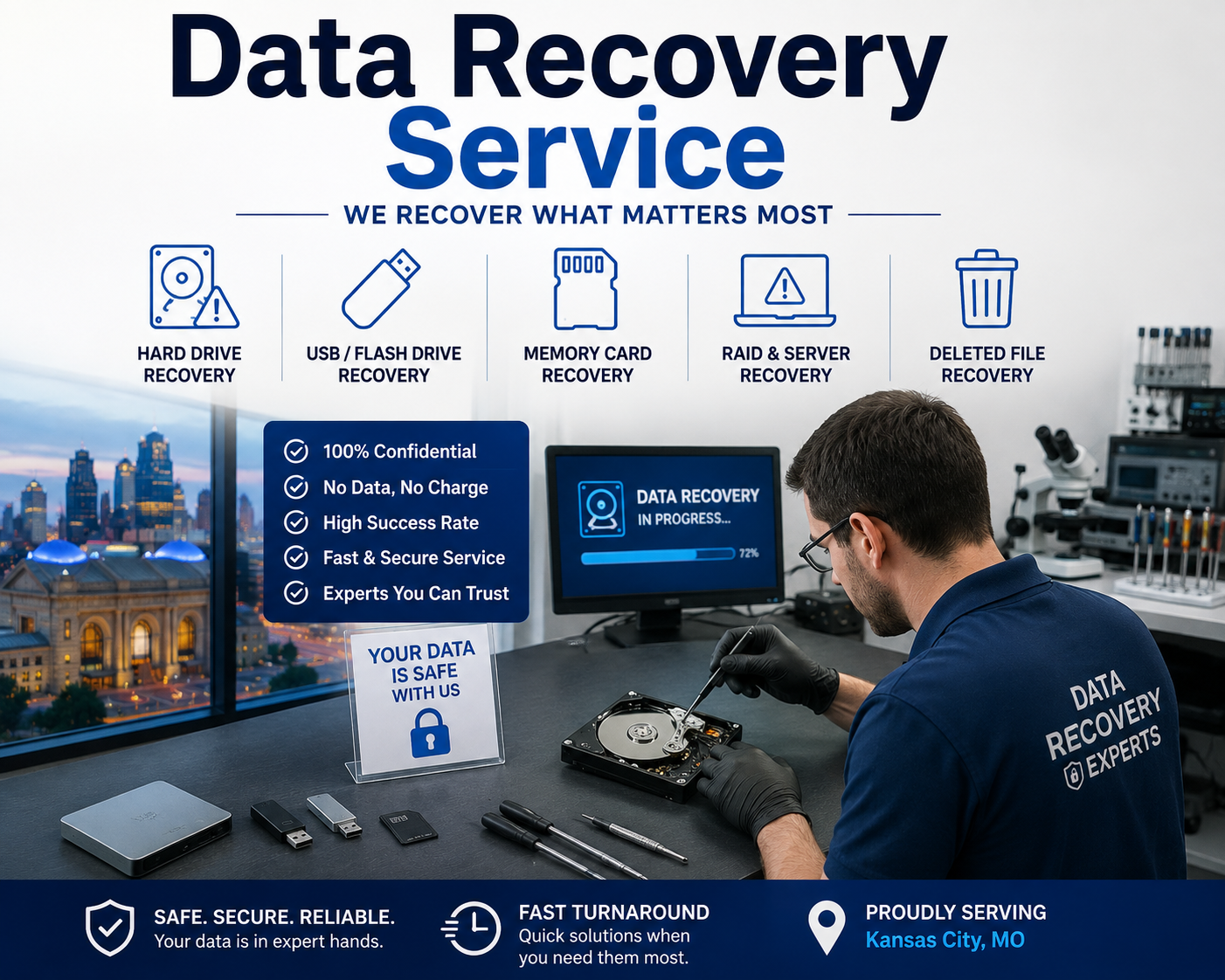
Data is one of the most valuable parts of any computer, whether it contains business documents, customer records, personal photos, school projects, financial information, or important work files. When files suddenly disappear, become corrupted, or cannot be accessed, the situation can quickly become stressful. Professional data recovery services can help identify the cause of data loss and determine whether files can be safely recovered. In Kansas City, MO, Quick Tech KC LLC works with laptops, desktop computers, hard drives, SSDs, and other storage devices to address different types of data loss.
Data loss does not always happen because someone intentionally deleted a file. Hardware failure, accidental deletion, operating system problems, malware, system crashes, damaged storage devices, and power-related issues can all affect access to important information. A computer may continue turning on while the storage device is already showing signs of failure. Slow file access, unusual noises from a traditional hard drive, repeated error messages, missing folders, or sudden crashes should therefore be treated seriously rather than ignored.
Common Causes of Data Loss
Accidental deletion is one of the most common situations users encounter. A file may be removed from a folder, emptied from the recycle bin, or overwritten by another file. In some situations, recovery software may help retrieve deleted information, but continued use of the affected storage device can reduce the chances of successful recovery. This is why it is important to avoid unnecessary writing or downloading when valuable files have disappeared.
Physical hardware damage can create another serious challenge. Hard drives contain mechanical components that can wear out or fail, while SSDs can experience electronic or controller-related problems. A computer that suddenly stops recognizing its storage device may require professional assessment before further troubleshooting is attempted. Quick Tech KC LLC’s data recovery service addresses lost and damaged data from hard drives and SSDs and uses professional tools to examine recovery possibilities.
When a Storage Upgrade May Help
Sometimes a computer’s storage is not completely failing but is becoming a limitation. Older hard drives can make systems feel slow, especially when the drive is nearly full or the computer is handling large applications and files. An Internal hard drive upgrade can provide an opportunity to move to faster storage while also increasing available capacity.
An SSD upgrade can be particularly useful for users who want faster startup times, quicker application loading, and more responsive file access. However, an upgrade should be planned carefully when the existing drive contains important information. Before replacing or migrating storage, users should consider how their existing files will be transferred and whether a reliable backup is available. Proper planning helps reduce the risk of losing important data during the upgrade process.
Storage upgrades can also be useful when an older computer is still functioning but its existing drive has limited capacity. Instead of replacing the entire computer, upgrading the storage may extend its useful life. The right approach depends on the computer’s compatibility, current storage condition, available connection type, and the user’s performance and capacity requirements.
The Importance of Backup Protection
Data recovery should not be the first line of defense against every type of data loss. A consistent backup strategy can provide an additional layer of protection before a failure occurs. Backup solutions can help users maintain copies of important documents, photos, business files, and other valuable information so that a hardware failure or accidental deletion does not necessarily result in permanent loss.
A useful backup strategy should be practical enough to follow consistently. Important files can be backed up to an external storage device, network location, or suitable cloud-based system depending on the user’s needs. Businesses may require more structured backup procedures because losing customer records, accounting information, project files, or operational documents can affect productivity and revenue.
Backups should also be checked periodically. Simply creating a backup does not guarantee that every file can be restored when needed. Users should verify that important data is actually being copied and that backup devices or accounts remain accessible. Maintaining more than one copy of critical information can provide additional protection if one backup becomes unavailable or damaged.
Knowing When Professional Help Is Needed
Not every data loss situation requires professional recovery, but certain warning signs should encourage users to stop experimenting and seek qualified assistance. A drive that is making unusual sounds, repeatedly disconnecting, showing severe errors, or failing to appear in the operating system may have a hardware problem. Repeatedly attempting repairs on a failing drive can sometimes make the situation more complicated.
Professional evaluation starts with identifying the cause of the problem. Quick Tech KC LLC describes a recovery process that includes device assessment, identifying the issue, presenting a recovery plan, obtaining approval, performing the recovery, and returning recovered information to a secure device. This structured approach helps users understand what is happening before recovery work begins.
For Kansas City homeowners, students, professionals, and businesses, protecting data requires more than simply reacting after files disappear. Understanding common causes of data loss, maintaining reliable backups, monitoring storage health, and planning hardware upgrades can all contribute to better long-term data protection. When files become inaccessible or a storage device begins to fail, taking the right steps early can improve the opportunity for safe recovery while reducing unnecessary risks.
Recovering Data From Hard Drives and Storage Devices
Hard drives and other storage devices are responsible for holding the files people depend on every day. Documents, photographs, videos, business records, applications, and personal information can all become inaccessible when a storage device develops a problem. Data loss can occur suddenly after a computer crash or gradually as a drive begins to fail. When important files are no longer accessible, professional evaluation can help determine the cause and identify the safest recovery approach.
Understanding Hard Drive Data Loss
Traditional hard disk drives contain moving components that can experience mechanical wear over time. A failing drive may become unusually slow, freeze while opening files, produce unfamiliar sounds, or disappear from the computer altogether. SSDs do not contain the same mechanical parts, but they can still experience electronic, controller, firmware, or memory-related failures. In either situation, continuing to use a damaged storage device without understanding the problem can make recovery more difficult.
Quick Tech KC LLC provides recovery for lost or damaged hard drives and SSDs and uses professional tools to examine storage devices. The service can address situations involving mechanical issues, system crashes, accidental deletion, and other causes of inaccessible files.
How System Problems Can Affect Stored Files
Not every data loss problem means that the physical storage device has failed. Sometimes the hardware remains functional while the operating system cannot properly access the files. Corrupted system files, failed updates, boot errors, software conflicts, and unexpected shutdowns can prevent a computer from starting normally. In these cases, users may assume that their files are gone even though the storage device may still contain the information.
An Operating System repair service can be useful when system-level problems are preventing normal access to a computer. Repairing the operating system may restore functionality without immediately replacing the storage device. However, important files should be considered before attempting major system repairs, reinstallations, or formatting. When valuable information is involved, the safest approach is to evaluate the data first and avoid unnecessary changes to the affected drive.
Operating system problems can have different causes, so troubleshooting should begin with proper diagnosis. A computer that repeatedly crashes may have corrupted system files, insufficient storage space, failing hardware, malware, or another underlying issue. Identifying the actual cause helps prevent unnecessary repairs and protects the user’s important information.
When a Screen Problem Is More Than a Display Issue
A damaged display can make it appear that a computer has lost access to its files. For example, a laptop may power on normally while showing a black, cracked, flickering, or distorted screen. In this situation, the stored data may still be completely intact. The problem could be limited to the display panel, display connection, graphics hardware, or another component responsible for producing the image.
A Screen replacement service can restore visibility when the display itself is damaged. Before assuming that data has been lost, users should determine whether the computer is actually starting and whether the storage device is functioning. If the system is operating normally in the background, replacing the damaged screen may provide access to the existing files without requiring data recovery.
This distinction is important because data recovery and hardware repair solve different problems. If the storage device is healthy but the screen is broken, recovering the data may not be necessary. On the other hand, if the computer cannot recognize its storage device or files remain inaccessible after the display issue is addressed, further diagnosis may be appropriate.
Power Problems and Data Protection
Unexpected power loss can also contribute to data problems. A computer that shuts down suddenly while writing files may experience corrupted data or operating system issues. Repeated power interruptions can also affect hardware components over time. A computer that will not turn on after a power-related incident may have a problem with its power supply rather than its storage device.
A Power supply replacement service can help address computer hardware problems related to inadequate or failed power delivery. Before replacing components, technicians should determine whether the power supply is actually responsible for the problem. This diagnosis is especially important when a computer contains valuable files that have not been backed up.
Power-related failures highlight why backups are important. If a computer suddenly stops functioning, having another copy of important information can significantly reduce the pressure associated with hardware repairs. Without a backup, users may need to determine whether the original storage device can still be accessed and whether professional recovery is required.
What to Do When a Drive Stops Working
When a storage device suddenly becomes inaccessible, users should avoid repeatedly restarting the computer or experimenting with multiple recovery programs. If the drive is physically failing, unnecessary activity may place additional stress on the device. Instead, note what happened immediately before the failure. Information such as unusual noises, error messages, recent updates, accidental deletion, power interruptions, or physical damage can help with diagnosis.
It is also important to avoid formatting a drive simply because the computer displays a message asking for it. Formatting can change the structure of the storage device and may complicate recovery efforts. If the information is important, professional evaluation should be considered before taking irreversible action.
Quick Tech KC LLC follows a structured recovery process that begins with device assessment, identifies the cause of the problem, provides a recovery plan, and proceeds with recovery after approval. Recovered information can then be transferred to a secure device.
Choosing the Right Recovery Approach
The correct solution depends on what caused the data loss. A software problem may require operating system troubleshooting, while a damaged display may only require screen repair. A failed power component may require hardware service, whereas a physically damaged or inaccessible storage device may need specialized data recovery.
Understanding this difference can save time and prevent unnecessary repairs. Rather than immediately replacing a computer or formatting a drive, users should first determine whether the data is still accessible and whether the original storage device is functioning. Professional diagnosis can provide a clearer picture of the problem and help establish the safest next step.
For Kansas City users, protecting important information starts with recognizing warning signs early. Slow performance, repeated crashes, unexpected shutdowns, missing files, display problems, and storage errors should not be ignored when valuable data is involved. Careful troubleshooting, appropriate hardware repair, and professional recovery assistance can help users protect important files and make informed decisions about their computers and storage devices.
Protecting Computers From Data Loss
Protecting important files starts with keeping the computer itself secure and stable. Data loss can happen because of hardware failure, but software problems can be equally disruptive. Malware infections, corrupted system files, unsafe downloads, outdated applications, and poorly configured programs may interfere with files or make a computer unreliable. A proactive approach that combines security, system maintenance, and careful software management can reduce many avoidable data-loss risks.
How Malware Can Put Important Data at Risk
Viruses, ransomware, spyware, and other forms of malware can affect more than computer performance. Some threats can modify, encrypt, delete, or make files inaccessible. Others may interfere with system processes and cause unexpected crashes or application failures. If suspicious pop-ups, unfamiliar programs, unusual system activity, or unexplained file changes appear, the computer should be assessed promptly.
Professional Virus and malware removal can help identify and remove malicious software while addressing security weaknesses that may have allowed the infection to occur. Quick Tech KC LLC describes a process involving an initial assessment, threat detection and removal, system hardening, and a final review. This approach is useful because simply deleting one suspicious file may not address every component of an infection.
Malware protection is particularly important for computers that store business documents, customer information, financial records, photographs, or other irreplaceable files. Users should avoid opening unexpected attachments, clicking suspicious links, or installing programs from untrusted sources. Keeping security software updated and using strong account credentials can also contribute to a safer computing environment.
Keeping Windows Stable and Responsive
A computer does not necessarily need new hardware every time performance begins to decline. Windows systems can become slower because of unnecessary startup applications, temporary files, outdated drivers, software conflicts, limited storage space, or other configuration problems. When these issues are identified early, maintenance may help restore a more reliable experience.
Windows system optimization can help address performance-related problems and improve the overall usability of a computer. Optimization may involve reviewing startup programs, checking available storage, identifying software conflicts, examining system behavior, and making appropriate adjustments. The goal should not simply be to make a computer appear faster but to identify the underlying causes of poor performance.
System maintenance can also help reduce unexpected interruptions. A computer that frequently freezes or crashes can put unsaved documents and active files at risk. Regularly monitoring system performance and addressing recurring errors can therefore support both productivity and data protection.
Installing Software Safely
Software can improve productivity, communication, entertainment, security, and many other aspects of computer use. However, poorly installed or incompatible software can create conflicts that affect system stability. Incorrect settings, missing dependencies, outdated versions, and applications from questionable sources may introduce additional problems.
Professional software installation can help ensure that programs are installed and configured according to the computer’s requirements. Proper installation may include checking system compatibility, following vendor requirements, configuring necessary settings, and testing the application after installation.
Users should also pay attention during installation rather than repeatedly selecting default options without reviewing them. Some installers may include additional software, browser changes, or permissions that are unnecessary for the intended application. Downloading programs directly from reputable vendors can reduce the risk of obtaining modified or malicious software.
Why Software Updates Matter
Keeping operating systems and applications updated is another important part of data protection. Software developers regularly release updates that address bugs, improve compatibility, and fix security vulnerabilities. Delaying important updates for extended periods can leave a computer exposed to known problems.
At the same time, updates should be approached carefully on computers containing critical information. A backup should be available before major system changes, particularly when an update involves the operating system or other core components. If an update causes unexpected problems, having a reliable backup can make it easier to restore important files and return the computer to a working state.
Recognizing Warning Signs Before Data Loss
Several warning signs may indicate that a computer needs attention. Files that take unusually long to open, applications that repeatedly stop responding, frequent system crashes, unexplained storage changes, security alerts, and unusual network activity should not automatically be dismissed as temporary glitches.
A combination of security checks and system maintenance can help identify problems before they become more serious. For example, malware may cause slow performance, while a nearly full storage drive can also make a computer feel sluggish. A professional assessment can separate these issues and determine which solution is appropriate.
Users should also be cautious about running multiple unfamiliar repair or recovery tools. When a computer is already unstable, installing additional programs without knowing what is causing the problem can make troubleshooting more complicated. It is generally better to identify the underlying issue first and then apply the appropriate solution.
Building a Long-Term Data Protection Routine
Data protection should be treated as an ongoing process rather than a one-time repair. Regular backups, security updates, careful software installation, system monitoring, and timely troubleshooting can work together to reduce the likelihood of serious data loss.
Businesses may need additional controls because multiple employees, devices, applications, and network connections can create more opportunities for security or configuration problems. Home users can also benefit from a consistent maintenance routine, particularly when computers contain years of family photographs, documents, tax records, or other valuable information.
When a computer begins behaving differently, early action can make a significant difference. Malware removal can address security threats, Windows optimization can improve system stability, and proper software installation can reduce compatibility problems. Combined with dependable backups and responsible computer use, these practices provide a stronger foundation for protecting important data in Kansas City, MO.
Hardware Issues That Can Affect Your Data
Computer hardware plays an important role in keeping files accessible and systems running reliably. While data is stored on a hard drive or SSD, other components can affect how safely and consistently the computer operates. Memory problems, processor issues, overheating, and unexpected shutdowns can interrupt active tasks and potentially lead to corrupted files. Understanding these hardware-related risks can help Kansas City users recognize problems before they become more serious.
How RAM Problems Can Affect Computer Stability
Random access memory, commonly known as RAM, temporarily holds information that the computer needs while applications are running. When RAM is insufficient, damaged, or incompatible, users may notice freezing, application crashes, slow multitasking, or unexpected restarts. These issues can become particularly noticeable when working with large documents, editing media, running multiple applications, or performing other demanding tasks.
A RAM upgrades Service can help improve system capacity when the existing memory is no longer sufficient for everyday requirements. Before adding or replacing memory, compatibility should be checked carefully. The correct RAM type, capacity, speed, and supported configuration depend on the computer’s motherboard and processor.
Although a RAM upgrade is primarily a performance improvement, stable memory can also contribute to a more dependable computing environment. If a computer repeatedly crashes while files are being created or modified, troubleshooting the memory and other hardware can help identify the underlying cause.
Recognizing Memory-Related Warning Signs
Several symptoms can indicate that a computer may have a memory-related problem. Frequent application crashes, random blue-screen errors, system freezes, unexplained restarts, and difficulty running multiple programs should not always be blamed on software. Hardware diagnostics may be necessary when these problems continue after routine troubleshooting.
Users should also consider when the problems began. If instability appeared after installing new memory, adding hardware, or changing system components, compatibility should be reviewed. Poorly matched components can cause inconsistent behavior and make it difficult to determine whether the issue is related to software or hardware.
Professional assessment can help separate memory problems from other causes such as failing storage, malware, overheating, or operating system corruption. This is especially important when a computer contains important business or personal files that have not been backed up.
The Processor’s Role in System Reliability
The CPU is responsible for processing instructions and coordinating many of the tasks performed by a computer. Modern processors can handle demanding workloads, but they also generate heat during operation. A processor that is incorrectly installed, poorly cooled, or incompatible with the system can create stability and performance problems.
A professional CPU installation service can help ensure that a compatible processor is installed correctly. Compatibility should be confirmed before installation because the processor must work with the motherboard, chipset, socket, firmware, and other system requirements.
Correct installation is important for more than performance. The processor must be seated properly, and the cooling solution must provide appropriate heat transfer. Improper installation can result in unstable operation, overheating, or failure to boot. When working with a computer that contains important information, professional hardware installation can reduce the risk of accidental component damage during an upgrade.
Why Overheating Can Become a Data Concern
Heat is another hardware issue that can affect computer reliability. Dust accumulation, blocked vents, failing fans, dried thermal paste, and restricted airflow can prevent a computer from properly removing heat. As temperatures rise, the system may reduce performance, become unstable, shut down unexpectedly, or experience repeated crashes.
Professional cooling system repairs can address issues such as fan problems, dust buildup, damaged heatsinks, and thermal paste that is no longer transferring heat effectively. Quick Tech KC LLC’s cooling service includes diagnosis, component cleaning, thermal paste replacement, airflow maintenance, reassembly, and performance testing.
Overheating should not be ignored simply because the computer eventually starts working again. Repeated high-temperature operation can create a cycle of slow performance, shutdowns, and instability. If the computer shuts down while saving a document or writing information to storage, the interruption may also contribute to file corruption.
Protecting Data During Hardware Repairs
Before performing major hardware work, users should consider the information stored on the computer. Hardware upgrades and repairs do not normally require deleting personal files, but unexpected complications can occur during troubleshooting or component replacement. Having a recent backup provides an additional layer of protection.
Users should also explain important symptoms to the technician before repair begins. Information about crashes, unusual sounds, overheating, recent upgrades, power interruptions, or missing files can help guide the diagnostic process. A complete description of the problem can make it easier to identify whether the issue is related to memory, CPU performance, cooling, storage, or another component.
When a computer is unstable, it is also wise to avoid unnecessary intensive tasks until the problem has been diagnosed. Continuing to run demanding applications on an overheating or frequently crashing system can increase the chance of interruptions.
Choosing Between an Upgrade and a Repair
Not every performance problem requires a hardware upgrade. A computer may simply need cleaning, maintenance, software troubleshooting, or a component repair. In other cases, upgrading RAM or replacing an outdated processor may be a more practical long-term solution.
The decision should be based on the computer’s current condition, intended use, compatibility, and overall value. For example, a system with adequate RAM but severe overheating may benefit more from cooling maintenance than from additional memory. Similarly, replacing a CPU without addressing an inadequate cooling solution may fail to resolve the underlying problem.
A proper diagnosis helps users avoid spending money on components that do not address the actual issue. It also reduces the risk of making unnecessary changes to a computer that contains valuable files.
Maintaining Hardware for Better Data Protection
Hardware maintenance should be part of a broader data-protection routine. Keeping vents clean, monitoring unusual fan noise, addressing repeated crashes, and checking hardware compatibility can help maintain system stability. Users should also maintain reliable backups so that hardware problems do not automatically become permanent data-loss events.
RAM, CPU, and cooling components all contribute to the overall reliability of a computer. A problem with any of these areas can affect system stability and interrupt important work. By identifying warning signs early, using compatible hardware, and addressing overheating or component problems promptly, Kansas City computer users can create a more dependable environment for their files and everyday tasks.
Data Recovery for Laptops and Mobile Devices
Laptops and mobile phones often contain years of valuable information, including photographs, documents, contacts, messages, business files, videos, and application data. Because these devices are used every day, accidental damage or technical failure can happen unexpectedly. A cracked display, failed component, software problem, or storage issue does not always mean that the data is permanently lost. The first step is to identify what has actually failed and determine whether the stored information remains accessible.
Understanding Data Loss on Laptops
Laptops are frequently exposed to conditions that can affect their performance and stored information. Drops, liquid spills, overheating, battery problems, storage failures, and operating system errors can all interfere with normal operation. In some cases, the laptop may not turn on at all, while the storage device may still contain the user’s files.
Professional laptop repair Kansas City can help diagnose hardware and software problems that prevent normal access to a computer. Quick Tech KC LLC addresses common laptop issues such as cracked screens, battery failures, slow performance, startup errors, overheating, and storage-related concerns.
When a laptop contains important files, it is important to explain the data situation before repair begins. A technician can then consider data preservation while diagnosing the device. If the storage drive is healthy, repairing another component may restore access to the files without requiring a separate recovery process.
Screen Damage Does Not Always Mean Data Loss
A damaged laptop or phone screen can make a device appear unusable even when its internal storage is still functioning. Cracks, black displays, flickering, dead pixels, and touch problems can prevent users from accessing their files, applications, photographs, or messages. Before assuming that information has disappeared, the device should be evaluated to determine whether the problem is limited to the display.
A mobile phone screen repair may restore access to a phone when the display is the primary problem. A screen replacement does not normally mean that the stored information needs to be erased. However, the exact repair approach depends on the device model, type of damage, and condition of other internal components.
This distinction is important because unnecessary data recovery procedures may not be needed when the storage system remains healthy. If the device can be restored through a hardware repair, users may be able to regain access to their information without making major changes to the operating system or storage.
Mobile Phones and Everyday Data
Smartphones have become important storage devices for both personal and professional information. Photos, videos, contacts, messages, notes, documents, authentication applications, and other data may all be stored locally or synchronized with online accounts. Damage to the phone can therefore create significant inconvenience.
A professional mobile phone fix can help address certain hardware and functionality problems that prevent normal phone use. Depending on the issue, the solution may involve repairing or replacing a damaged component rather than recovering the data itself.
Users should avoid repeatedly attempting to power on a phone that has suffered significant liquid exposure. Water or other liquids can create electrical problems that become worse when power is applied. Similarly, a device that has been physically damaged should not be opened without the appropriate knowledge and tools, particularly when valuable information is stored on it.
When a Device Will Not Turn On
A laptop or phone that does not power on does not automatically mean that its data has been destroyed. The failure may involve the battery, charging system, power circuitry, display, motherboard, or another component. If the storage remains intact, there may still be an opportunity to access the information after the underlying hardware issue is identified.
For laptops, Quick Tech KC LLC notes that water-damaged devices should be powered off and unplugged rather than repeatedly restarted. This can help prevent additional electrical damage while the device is evaluated. (quicktechkc.com)
If important files are involved, users should communicate this before approving repairs that could modify the operating system or storage. A diagnosis can help determine whether the immediate problem is a repair issue, a data-access issue, or both.
Handling Accidental Damage Carefully
Accidental drops and impacts are common causes of device problems. A laptop may develop a broken display, damaged hinges, loose internal connections, or storage-related problems after an impact. A smartphone may have a shattered screen, damaged charging port, or internal component failure.
The safest response is to assess the device rather than immediately assuming the worst. If the storage is still healthy, repairing the damaged component may be enough to restore normal access. If the storage itself has been affected, professional data recovery may be necessary.
Users should also avoid installing random recovery applications onto a device that may have a failing storage drive. Writing new information to the affected storage can potentially overwrite recoverable data. When the information is particularly valuable, professional evaluation is often a safer first step.
Protecting Mobile and Laptop Data Before Problems Occur
The best time to prepare for data loss is before a device fails. Important photographs, documents, contacts, and other files should be backed up regularly. Cloud synchronization can be useful for supported data, while external storage can provide another copy of important information.
Users should also keep devices updated, use screen locks and strong account credentials, and avoid downloading applications from questionable sources. For business users, regular backup procedures are especially important because laptop or phone failures can interrupt communication and access to important work information.
It is also helpful to know where important files are stored. Some information may exist only on the device, while other files may already be synchronized with a cloud account. Understanding this before a failure occurs can make the recovery process much easier.
Choosing the Right Solution for the Device
Laptop and mobile-device problems can have very different causes, so the appropriate solution depends on the symptoms. A cracked display may require screen repair, while a battery or charging problem may need hardware service. An operating system problem may require software troubleshooting, while a damaged storage device may require specialized data recovery.
Quick Tech KC LLC follows a diagnosis-first approach for its repair services, helping identify the problem before recommending a solution. This approach is particularly useful when data preservation is a priority because unnecessary repairs, formatting, or system changes can potentially create additional complications.
For Kansas City users, early professional assessment can help distinguish between a device repair and a genuine data recovery situation. Whether the problem involves a laptop, smartphone, damaged display, or another hardware issue, protecting the information stored on the device should remain an important part of the repair process.
Preventing Future Data Loss
Recovering lost information can be stressful, time-consuming, and sometimes uncertain. The best approach is to reduce the chances of serious data loss before a problem occurs. Regular backups, proper device maintenance, secure networks, and timely hardware repairs can create a stronger environment for protecting important files. For homeowners, students, and businesses in Kansas City, a simple preventive routine can make a significant difference when computers and other devices are used every day.
Build a Reliable Network Environment
A stable network is important for computers and devices that depend on internet access, shared storage, cloud applications, and online backup systems. Connection failures, weak security settings, outdated equipment, or poor configuration can interrupt access to important information. Businesses in particular may have multiple computers, printers, servers, phones, and other connected devices that all depend on reliable communication.
Professional computer network services can help businesses evaluate their existing infrastructure, identify weak areas, improve configuration, and create a more stable network environment. Quick Tech KC LLC describes network assessment, custom planning, professional setup, and ongoing performance support as parts of its networking approach.
A properly maintained network can also support safer data practices. When employees can reliably access approved storage locations and backup systems, they are less likely to rely on unsecured personal devices or inconsistent methods for storing important information. Network security should therefore be considered part of an overall data-protection strategy rather than a separate technical concern.
Maintain Devices Before Small Problems Grow
Preventive maintenance is another important part of protecting information. Computers often provide warning signs before a serious failure occurs. Unusual noises, repeated freezes, unexpected shutdowns, overheating, slow performance, or error messages can indicate that a component needs attention.
Ignoring these signs can increase the chance of a larger failure. For example, a computer that frequently shuts down may eventually experience system corruption or interrupted file operations. Addressing the underlying hardware or software problem early can help maintain system stability and reduce unnecessary risks.
Regular maintenance should include checking storage capacity, keeping software updated, monitoring system performance, and removing unnecessary applications or files. Users should also make sure that important data is backed up before major repairs, upgrades, or operating system changes.
Protecting Devices From Physical Damage
Physical damage is another preventable source of data-access problems. Laptops can be dropped, phones can be damaged by impacts, and keyboards can become unreliable after repeated use or liquid exposure. While physical damage does not always destroy stored information, it can make the device difficult or impossible to use.
A Keyboard replacement can help restore functionality when keys become stuck, unresponsive, or damaged. Quick Tech KC LLC’s keyboard service includes compatibility checks and testing after replacement to ensure the keyboard functions properly.
Users should also avoid eating or drinking directly over computers and should keep laptops in secure positions where they are less likely to fall. Simple precautions can reduce the likelihood of accidental damage and help extend the useful life of a device.
Watch for Battery and Power Problems
Battery problems can also create interruptions that affect daily computer use. A laptop battery that drains quickly, refuses to charge, becomes unusually warm, or causes unexpected shutdowns should be evaluated instead of being ignored. Sudden loss of power while a file is being saved can potentially result in incomplete or corrupted information.
Professional auto battery replacement, using the provided service mapping, can help address battery-related problems with compatible replacement components. For laptops and other portable computers, maintaining a dependable battery can reduce unexpected shutdowns and improve reliability during everyday use.
Users should also pay attention to charging equipment. Damaged cables, loose connections, or unreliable adapters can contribute to inconsistent power delivery. Using compatible charging equipment and addressing battery problems early can help reduce avoidable interruptions.
Keep Multiple Copies of Important Information
One of the strongest ways to reduce the impact of data loss is to maintain more than one copy of important files. Important documents, family photographs, financial records, customer information, and work projects should not exist in only one location.
A practical backup routine may combine local and cloud-based storage depending on the user’s needs. Critical business information may require more structured backup procedures, while home users can focus on ensuring that irreplaceable personal files are copied regularly.
Backups should also be tested. A backup that cannot be accessed or restored when needed does not provide reliable protection. Periodically checking backup files and confirming that important information is available can provide greater confidence that the system will work during an emergency.
Practice Safe Computer Habits
Everyday computer habits can also influence the risk of data loss. Users should avoid downloading software from questionable sources, clicking suspicious links, opening unexpected attachments, or disabling security features without a valid reason. Strong passwords and multi-factor authentication can provide additional protection for accounts containing important information.
It is equally important to install system and application updates from trusted sources. Updates can address security weaknesses and software problems, but major changes should ideally be performed when current backups are available.
Businesses should also educate employees about safe file handling and cybersecurity practices. A technically strong network can still be placed at risk when users unknowingly interact with malicious files or websites.
Know When to Seek Professional Assistance
Preventive care does not mean that every technical issue can be solved at home. When a computer repeatedly crashes, a storage device becomes inaccessible, or a device experiences physical or electrical damage, professional diagnosis may be the safer option.
Trying random repair tools, repeatedly restarting a failing computer, formatting a questionable drive, or opening hardware without the correct equipment can sometimes make an existing problem more complicated. If important information is involved, users should prioritize data preservation before attempting major changes.
Professional technical support can help determine whether the issue involves hardware, software, networking, storage, or another component. This diagnosis allows the appropriate solution to be selected instead of making unnecessary repairs.
Creating a Long-Term Data Protection Routine
Preventing future data loss requires consistency rather than a single action. A reliable network, maintained hardware, healthy batteries, safe software practices, and dependable backups can work together to protect important information.
Kansas City users can benefit from reviewing their devices regularly and addressing warning signs before they become major failures. Network performance should be monitored, damaged components should be repaired promptly, and important files should be backed up on a consistent schedule.
With a proactive approach, data protection becomes part of normal technology maintenance instead of an emergency response. By combining professional support with responsible daily habits, users can reduce avoidable risks, keep their devices dependable, and improve their ability to recover when unexpected technical problems occur.
Conclusion
Preventing data loss requires a combination of regular backups, proper device maintenance, secure software practices, and timely attention to hardware or system problems. When files become inaccessible because of accidental deletion, storage failure, malware, or physical damage, professional data recovery can help determine the safest way to retrieve important information.
For dependable technology support in Kansas City, Quick Tech KC LLC provides data recovery along with computer repair, laptop repair, screen repair, battery replacement, SSD installation, and other technology services. Their data recovery process includes device assessment, recovery planning, secure data retrieval, and guidance for preventing future data loss.
Whether you need help recovering important files or maintaining a computer for long-term reliability, addressing technical problems early can reduce unnecessary risks. With professional support and a consistent backup strategy, Kansas City users can protect valuable information and keep their devices working more reliably.
FAQs
1. How long does data recovery take in Kansas City, MO?
The recovery time depends on the type and severity of the problem. Some cases may take 1–3 hours, while more complicated hardware or storage issues may require additional time.
2. Can you recover data from a damaged hard drive or SSD?
Yes. Data recovery services can be used for lost or damaged hard drives and SSDs, including problems caused by mechanical issues, system crashes, accidental deletion, or other storage failures.
3. Can permanently deleted files be recovered?
In some situations, deleted files can be recovered even after the recycle bin has been emptied. The possibility of recovery depends on the condition of the storage device and whether new data has overwritten the deleted information.
4. Is my recovered data kept private?
Yes. Quick Tech KC LLC states that it follows privacy and security protocols while handling customer data. Recovered files can be transferred to a secure device and returned to the customer.
5. What happens if my data cannot be recovered?
Quick Tech KC LLC provides an assessment before beginning recovery work and states that there is no charge if the data cannot be recovered. This allows customers to understand the recovery options before proceeding.